Advanced Build Grid and Cloud Integration
Build grid can be constructed by installing QuickBuild agents on different machines and having them connected to QuickBuild server. Build jobs are distributed to the grid almost transparently to make QuickBuild able to build large number of projects as well as speeding up a single build. Grid nodes are self-managed and can be auto-updated to reduce management overhead to the minimum.
Scale to support massive builds simply by adding more nodes
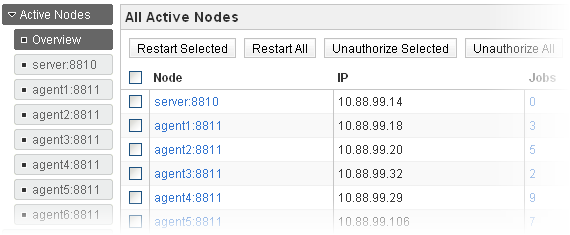
With proper configuration, QuickBuild can shift build tasks from server to pool of agents. This makes QuickBuild able to handle large number of builds without overloading the server. More builds can be handled by adding more nodes to the grid. QuickBuild server is optimized to be able to work with hundreds of agents efficiently.
Run steps of a single build parallelly on multiple nodes to accelerate build speed
A single build can be divided to multiple steps and these steps can be distributed to multiple machines to run concurrently. Files can be transferred between different nodes as desired during the build process. With proper setup, the overall build/test time can be reduced dramatically using this approach.
Flexible node selection mechanism to enable build step running on one or more compatible nodes
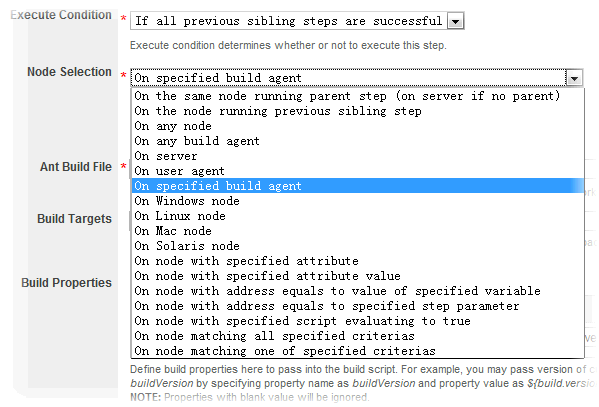
QuickBuild uses versatile node selection criterias to determine eligible nodes when running a build step. For example, the step can be configured to stick on particular node always, to run on least loaded node with certain attribute, to run on the node selected by parent step, or run the step on the same node as another step. These criterias can be combined freely to achieve flexibility. You can even write your own expression to determine if a node matches current step. Further, with the help of step repetition, you can easily configure a single step to run on all eligible nodes.
Resource management to reflect capability of the grid
Grid resources can be defined in grid page to reflect capability of the whole grid, and this will make builds run more efficiently in the grid. For instance, you may define the processor resource to represent all processors of all agents in the grid, then the build can be defined to require a processor to run. With this setup, builds will always run on agents with free processors, and they will wait in the queue if no agent has free processors. You may also define exclusive resources if necessary to make sure that only certain number of builds can access the resource in the same time. For each resource, one can examine current free count as well as builds and steps occupying the resource.
Optionally store build artifacts on agent to reduce server load
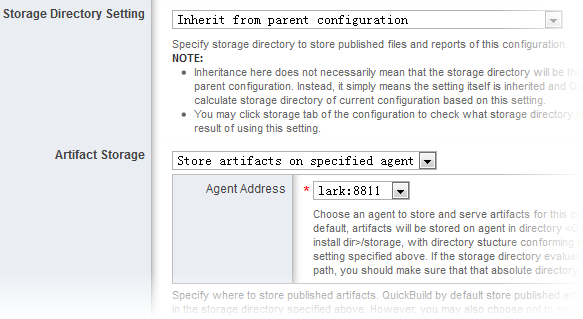
For a given configuration subtree, QuickBuild can be configured to store all generated build artifacts to be stored on particular agent. Upon this, artifact publishing, downloading from GUI, and artifact retrieving from dependent builds will be routed to that agent to ease server from burden of artifact management. Different subtree can designate different build agent for artifact storage to avoid single point of burden.
Partition the grid between different departments/projects
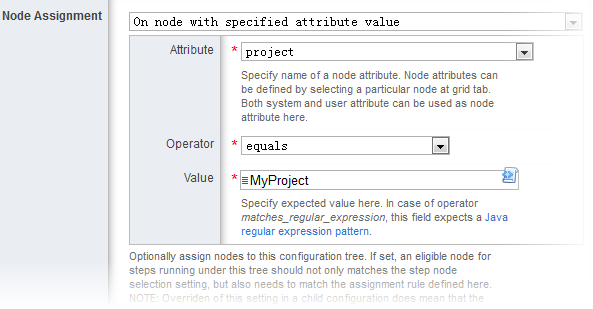
For a given configuration subtree, QuickBuild can assign eligible nodes to the tree. All builds happen under this tree can only run on assigned nodes regardless how the node selection setting of the build is configured. With this feature, nodes in the grid can be divided between different departments/projects so that build of one project never occupy grid resources of other projects.
Launch node into cloud environment on demand including AWS, Azure and Kubernetes
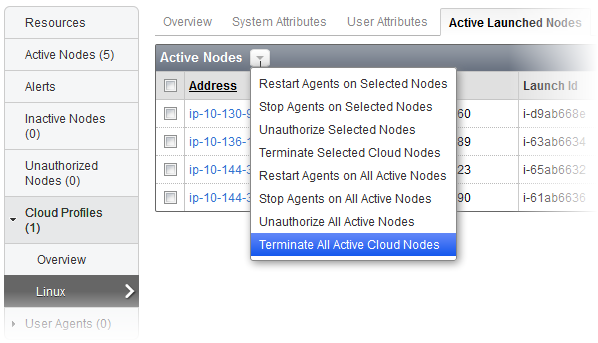
Cloud Profiles exist to support launching build agents on demand into cloud environment when no existing agents satisfies certain build requirement or if required grid resources are exhausted. Launched build agents will be terminated automatically if it is idle for certain period of time, and the administrator can also terminate them manually if necessary. Currently AWS, Azure and Kubernetes are included.
Key performance indicator to keep track of grid and server health
QuickBuild provides monitoring and graphing the measurements of build grid. It helps to continuously track the health of the build grid.
QuickBuild collects below measurements every five minutes:
- Virtual Machine
- CPU Usage
- Disk Usage
- Physical Memory Usage
- Swap Usage
- Resources
- Build Request
- Builds
- Steps
- Web UI Visits
- REST Visits
- Download Visits
- Upload Visits
- RPC Visits
- Network
- Database Connection
- Jetty Connection
QuickBuild also provides different charts to graph the measurements to help you know the status of your build grid.
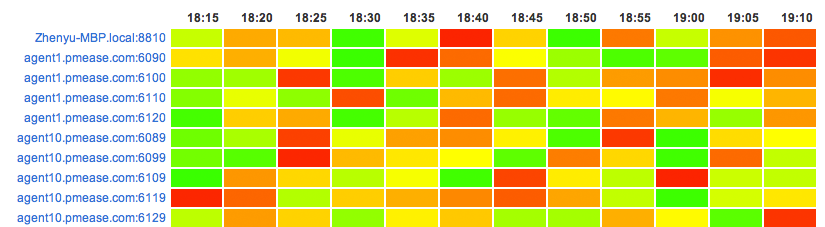
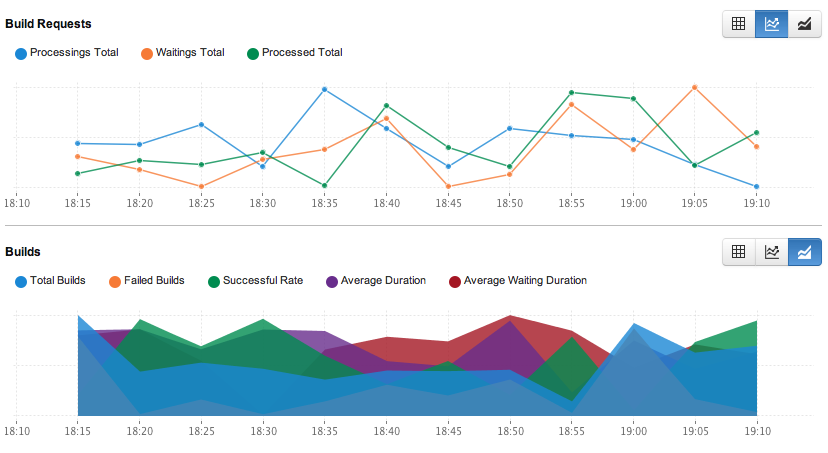
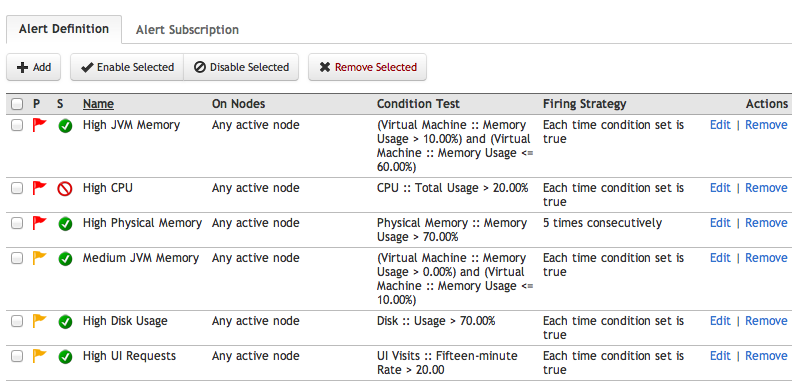
QuickBuild also provides you highly customizable alert definitions so that you can generate the alerts based on your scenario and can send those notifications to your email, MSN, Google Talk or Tray Monitor.
Auto-update agents when server is upgraded
QuickBuild agents are self-managed. Once an agent is installed on a machine, it is running there unattendedly. When upgrade to new version of QuickBuild, you only need to upgrade the server, and the agents will pick up the change from server and upgrade themselves automatically. When QuickBuild server is down, the agents try to reconnect to server periodically and once the server is up and running, agents will be reconnected automatically. You may also instruct QuickBuild to restart these agents as necessary.