Continuous Integration and Pre-commit Test
Continuous integration, as one of the best practice of agile software development, can be used to reduce integration headaches and improve team efficiency. QuickBuild is designed from its first day to make this practice easy to adopt.
Run proof build to test changes on server before commit
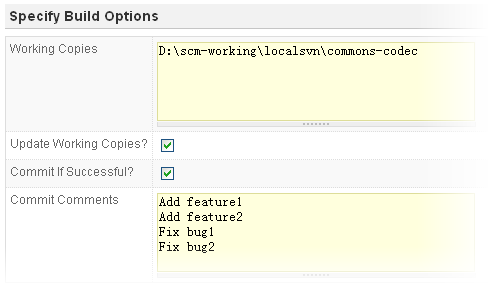
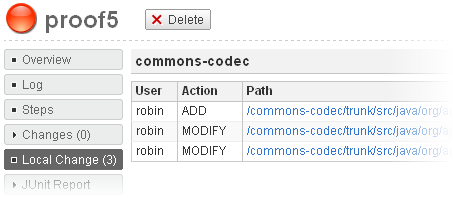
Traditional continuous integration builds and tests after developer commits to the SCM. QuickBuild goes beyond that by introducing proof build to test changes on build servers before they are committed. QuickBuild can optionally commit the changes automatically if they passed necessary tests. With the help of proof build, you may just submit your changes to QuickBuild and leave for home without worrying about build broken.
Details of your uncommitted changes will be displayed in QuickBuild after proof build, which can be used to help code review before you actually commit them into SCM.
The proof build feature is not bound to specific IDE and you can make use of it even if you are using windows notepad or Unix vi to write your code.
Run builds concurrently to get fast feedback
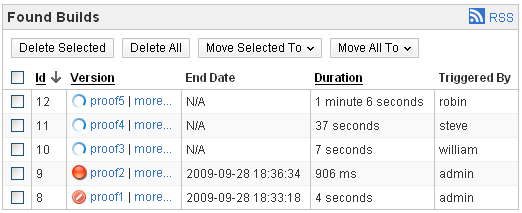
In a busy team, verification builds may be requested frequently by developers. It is important that these builds can complete as soon as possible to provide fast feedback to developers. QuickBuild helps this by allowing builds from different projects or same project running concurrently on multiple machines. Further, a single build can be divided to multiple steps running parallelly on build grid to accelerate the speed.
Run builds upon commit, using a schedule, or upon dependency finish
Besides requesting proof build manually, continuous integration builds can also be triggered automatically using below approaches:
- Schedule: A project can be configured with a schedule to run continuous integration builds periodically or at certain time, when there are code changes in the SCM.
- SCM commits: By defining a short enough schedule, verification builds can be triggered for nearly each commit made into the SCM. When detecting changes in SCM, QuickBuild can be configured to exclude certain commits (such as documentation changes) from triggering the builds. QuickBuild also supports quiet period detection to avoid build against half checkins.
- Dependency projects: QuickBuild can be configured to build/test a project if its dependencies are newly built. If the project fails to build, notification will be sent to developers of dependency projects to indicate a dependency failure. The dependency check is important to make sure development of one project does not break other projects depending on it.
Report build progress and log in real time
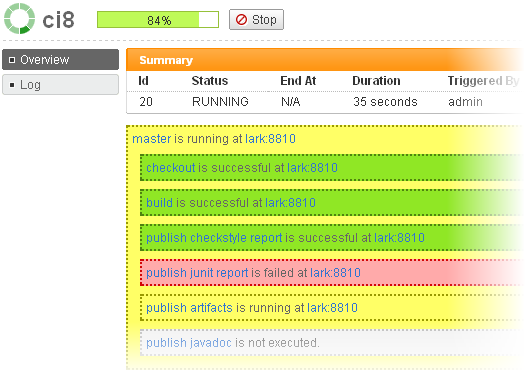
Build progress are displayed in real time from QuickBuild web interface using AJAX to give you an instant view of which step is currently being executed, on which grid node. Build logs are auto-refreshed to display latest outputs from the background build process. QuickBuild optimizes build monitoring carefully to reduce server resource usage to the minimum even if monitoring thousands of projects from the dashboard.
Monitor/trigger build and receive build notifications through tray monitor without opening browser
The cross platform tray monitor enables users to monitor build, trigger build, and receive build notifications directly from their desktop, without opening the web browser. It currently supports Windows, Mac OS X, and Linux.

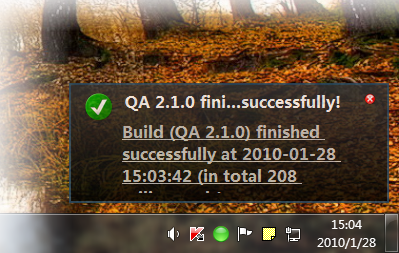
Send failure notifications to committed users to ensure responsibility

In a team adopting continuous integration, it is vital that broken builds are fixed as soon as possible. QuickBuild can be configured to notify developers who commit changes when build is failed and have them take the responsibility to fix the build. In case of dependency build failure, not only developers of the project using dependencies are notified, but also developers of the dependency projects will be notified.
Comparable and customizable statistics chart
QuickBuild collects important metrics of each build, and generate statistics chart to display metrics trends overtime. You can group statistics by version,by day, by week or by month, or can even compare statistics of different configurations like below:
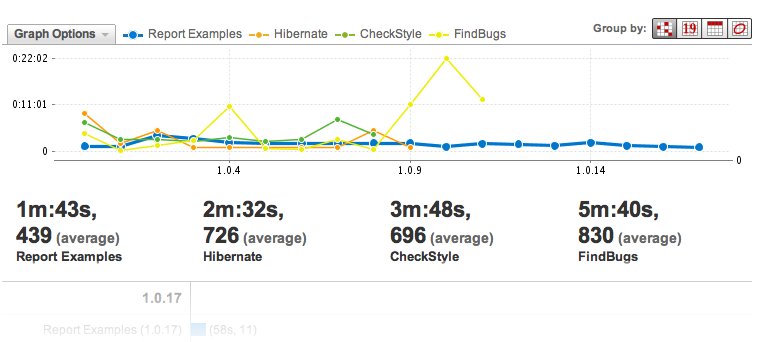
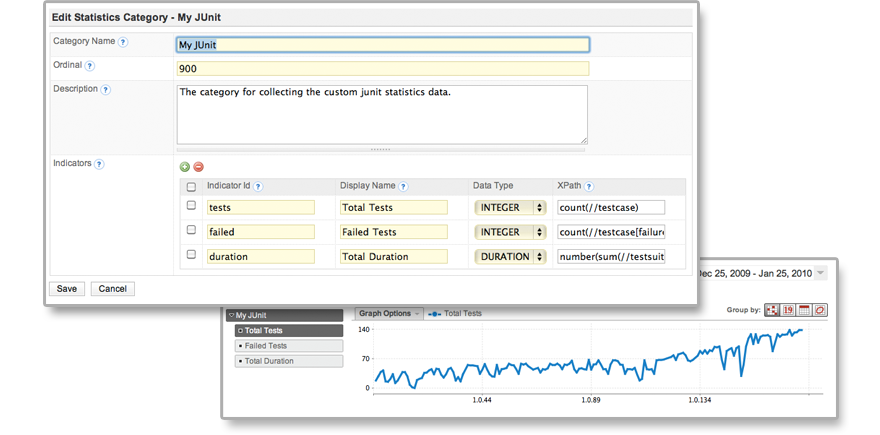
Built-in statistics include duration and success rate by build and step, SCM change/commit statistics, unit test statistics, code coverage statistics and code quality statistics. For other user defined metrics, statistics chart can be generated simply by telling QuickBuild how to find your metrics like below:
Build auto cleanup strategy to reduce disk space usage
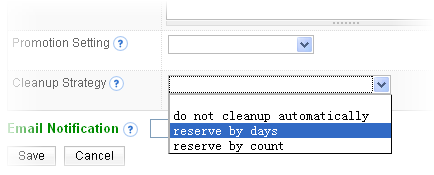
Frequent continuous integration may generate many builds over time. This may occupy a lot of disk space. While you can clean up builds manually, QuickBuild provides build auto-cleanup functionality to delete builds and their artifacts automatically if number of builds exceeds a certain threshold or if the build is old enough.